




Picking the right one from the best AIOps tools in the market directly affects how quickly your team detects, understands, and resolves incidents. With many tools offering similar promises around automation, correlation, and noise reduction, buyers now need clearer signals to evaluate which platform truly fits their environment and operational model.
IT ecosystems continue to generate growing telemetry volumes and alert streams, making platform choice a practical decision tied to response speed and service reliability. Market growth reflects this shift. The global AIOps platform market is projected to grow from $11.7 billion in 2023 to $32.4 billion by 2028 at a 22.7% CAGR, showing how organizations are investing in tools that help teams move from alert overload to confident incident resolution.
My evaluation of the top AIOps tools is based on aggregated patterns across real user reviews and ongoing exposure to teams running AIOps platforms in production environments. The assessment focuses on criteria that consistently distinguish effective platforms: depth of anomaly detection and correlation, breadth of data ingestion, automation maturity, and integration with existing observability and ITSM tooling. G2 review patterns suggest that tools lacking in these areas often generate false positives or leave engineers manually stitching workflows together, which raises long-term operational overhead.
TL;DR: The top 10 AIOps tools as per G2 scores are Atera, ServiceNow IT Operations Management, IBM Instana, Dynatrace, Datadog, SysAid, Rakuten SixthSense Observability, New Relic, IBM Turbonomic, and Digitate.
10 best AIOps tools for 2026: My top picks
- Atera: Best for centralized IT operations with built-in automation
Remote monitoring, patching, and ticketing are combined into a technician-based model that reduces per-endpoint cost complexity. (Paid plans start at approximately $149 per technician/month, billed annually) - ServiceNow IT Operations Management: Best for enterprise AIOps and service operations
Event management, service mapping, and operational intelligence are tightly connected to CMDB and ITSM workflows. (Pricing publicly available on request, custom quotes only) - IBM Instana: Best for automated APM and fast deployment
AI-driven tracing and infrastructure visibility are designed to surface issues quickly in distributed systems. (Paid plans start at $20 per MVS/month) - Dynatrace: Best for full-stack observability with AI-assisted root cause analysis
Infrastructure, application, and digital experience monitoring unified under a single automation-driven platform. (Infrastructure monitoring starts at approximately $7 per host/month, billed annually) - Datadog: Best for engineering-led observability for cloud-native stacks
Metrics, logs, and traces combined with broad integrations and flexible analysis workflows. (Infrastructure monitoring starts at around $15 per host/month, billed annually) - SysAid: Best for ITSM teams with built-in automation and AI assistance
Ticketing, asset management, and workflow automation are designed for internal IT operations. (Pricing publicly available on request; custom quote required) - Rakuten SixthSense Observability: Best for unified observability with AI-driven insights
Application, infrastructure, and data observability capabilities are positioned around correlation and operational intelligence. (Free plan available; Pro starts at $10 per monitored table/month; enterprise pricing is quote-based) - New Relic: Best for full-stack observability with AI-driven insights
Full-stack monitoring with flexible data ingest and user-based access controls. (Free tier available; paid usage starts at close to $0.40 per GB beyond included data) - IBM Turbonomic: Best for automated resource optimization and cost control. Automated decisions for workload placement and scaling across cloud and on-prem environments. (Pricing publicly available on request)
- Digitate (ignio): Best for enterprise AIOps and autonomous IT operations
Event correlation, root cause analysis, and automated remediation are designed for large-scale IT operations. (Pricing publicly available on request)
*These AIOps tools are top-rated in their category based on G2’s Grid Report. I’ve included their strengths and pricing details to help you choose the right platform for your operations and reliability workflows.
10 best AIOps tools I recommend
Modern operations teams sit on a large volume of signals, metrics, logs, events, and alerts that rarely agree with each other. AIOps tools exist to bring order to that chaos by connecting those signals into a single operational narrative that teams can trust. The right platform doesn’t just surface more data. It helps teams see what’s related, what’s urgent, and what can be safely ignored before small issues escalate.
The strongest AIOps platforms go beyond alert aggregation. They explain why an issue is happening, how it propagates across services, and which components are driving impact. Whether it’s correlating events across infrastructure and applications, surfacing recurring incident patterns, or using automation to reduce manual triage, the best tools replace noise with operational clarity.
This value isn’t limited to massive enterprises. G2 Data shows adoption spread across small teams, mid-market organizations, and large enterprises. Teams use AIOps at different scales, but for similar reasons: faster detection, clearer prioritization, and fewer reactive firefights. Most platforms are designed to plug into existing observability and ITSM stacks, which shortens time to impact and reduces disruption.
Ultimately, effective AIOps tools deliver what modern operations depend on: visibility into what’s breaking now, confidence in why it’s happening, and predictability in how teams respond. When that foundation is in place, incidents resolve faster, trust in automation improves, and critical issues stop slipping through unnoticed.
How did I find and evaluate the best AIOps tools?
I used G2’s Grid Reports for the AIOps category to identify platforms with consistently high user satisfaction and strong market presence across small teams, mid-market organizations, and large enterprises. This helped narrow the field to tools that are actively used in production environments, not just evaluated in theory.
Next, I analyzed hundreds of verified user reviews using AI to surface recurring patterns around what actually matters in day-to-day operations. The focus wasn’t on feature lists. It was on outcomes that teams repeatedly talked about: alert noise reduction, event correlation accuracy, root cause explanation, speed of incident detection, automation reliability, and how well the platform integrates with observability, ITSM, and cloud infrastructure stacks. These patterns made it clear which tools reduce operational load and which ones simply move complexity around.
Since I haven’t personally used every platform on this list, I validated these findings by cross-checking them with input from SRE, IT operations, and platform teams who actively rely on AIOps tools in live environments.
Product visuals and references included in this article are sourced from G2 vendor listings and publicly available product documentation to ensure accuracy and consistency.
What makes the best AIOps tools worth it: My criteria
Based on G2 user reviews and studying real-world SRE and IT operations workflows, and speaking with reliability engineers, IT ops leaders, and platform teams, the same themes showed up repeatedly. Here’s what I prioritized when evaluating the best AIOps tools:
- High-fidelity signal ingestion with meaningful noise reduction: The best AIOps tools make it possible to ingest massive volumes of metrics, logs, traces, and events without overwhelming operators. This means deduplication, alert suppression, temporal clustering, and context-aware filtering that reflects system behavior. A platform that reduces alert volume while preserving signal quality consistently leads to faster detection and higher trust during incidents.
- Accurate correlation across systems, services, and dependencies: Not all incidents originate from a single component. I looked for platforms that correlate signals across infrastructure, applications, services, and cloud resources using topology and dependency awareness. Tools that clearly show how issues propagate across systems stood out because they help teams focus on causes instead of chasing symptoms.
- Explainable root cause analysis teams can act on confidently: Beyond detection, strong AIOps Tools explain why the behavior deviated from normal and which component triggered the impact. I prioritized platforms that tie root cause insights back to observable telemetry, configuration changes, or dependency shifts. Tools that offer transparent, traceable explanations reduce hesitation and speed up decision-making under pressure.
- Operational automation that reduces toil without removing control: Automation should eliminate repetitive work, not introduce risk. I rated tools higher when they support automated enrichment, classification, routing, and remediation with clear safeguards and human override options. Platforms that allow teams to tune, audit, and pause automation help reduce on-call fatigue without sacrificing accountability.
- Deep integration with observability, ITSM, and cloud workflows: Great AIOps tools don’t operate as standalone dashboards. They integrate seamlessly with observability stacks, incident management systems, CMDBs, and cloud platforms. The best tools sync alerts, incidents, service context, and ownership automatically, reducing context switching and shortening the path from detection to resolution.
- Scalability across data volume, architecture, and team growth: Operational complexity grows quickly as systems scale. I prioritized platforms that maintain correlation accuracy, performance, and usability as telemetry volume increases and architectures evolve. Tools that scale from small environments to enterprise operations without degrading clarity earn stronger long-term adoption.
- Actionable insights instead of dashboard overload: Teams don’t lack charts. They lack direction. The strongest AIOps tools surface impact, affected services, probable causes, and recommended next steps. I rated platforms higher when insights directly guide action rather than requiring operators to interpret dense visualizations during incidents.
- Reliability, governance, and enterprise readiness: AIOps platforms must remain dependable when systems are under stress. I looked for tools that support role-based access control, audit logs, compliance requirements, and strong uptime guarantees. Enterprise teams also value SSO, data governance, and steady performance across large, complex environments where failures have real business impact.
Based on these criteria, I filtered down the AIOps tools that deliver operational clarity, reduce investigation time, and scale with real-world complexity. Not every platform excels at every capability, so the right choice depends on whether your priority is automation depth, explainability, scalability, or governance.
Below, you’ll find authentic user reviews from the AIOps Tools category. To appear in this category, a tool must:
- Analyze and correlate operational data across metrics, logs, events, and traces
- Support anomaly detection, incident correlation, and root cause analysis
- Integrate with observability, ITSM, and cloud infrastructure workflows
- Provide actionable insights that improve incident response speed and reliability
This data was pulled from G2 in 2026. Some reviews may have been edited for clarity.
1. Atera: Best for centralized IT operations with built-in automation
Atera is known as an AIOps platform shaped by the practical needs of day-to-day IT work rather than enterprise optics. Its overall G2 score of 86 reflect strong trust among teams that rely on monitoring, automation, and remote management as core operational tools rather than advanced analytics layers.
About 61% of users come from small businesses, 35% from mid-market teams, and only 4% from enterprises. This mix points to a platform built for lean IT teams and MSPs that need centralized visibility and control without maintaining heavy infrastructure or complex analytics stacks.
Reviewers highlight how all managed devices can be tracked from a single dashboard, with alerts and system signals presented in a way that makes issues easy to identify and prioritize. This operational clarity supports faster triage and reduces time spent interpreting system noise.
G2 users describe being able to connect to endpoints quickly, run scripts, execute commands, and resolve issues without switching tools. Support for multiple remote access options adds continuity, helping teams stay productive even when individual services experience interruptions.
Patch management, background monitoring, and alert-driven workflows handle repetitive tasks that would otherwise require manual effort. Reviewers often connect this automation to fewer urgent escalations and more predictable workloads across daily operations.
Device and endpoint management is tightly integrated across the platform. Users frequently mention the ability to manage assets, apply updates, and maintain consistency across environments from a single system. This consolidation helps teams reduce tool sprawl while maintaining control over growing device fleets.
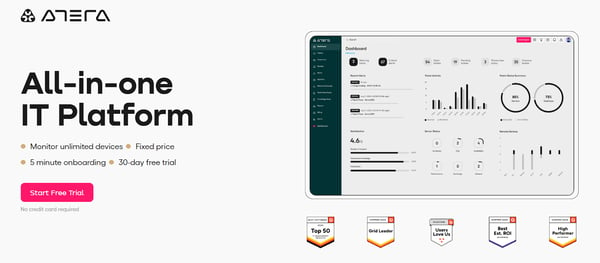
Atera scales in a way that aligns with how lean teams grow. Rather than introducing new layers of complexity as environments expand, the platform extends centralized control across more devices and users. This allows teams to scale their footprint without reworking workflows or operational structure.
Reporting focuses primarily on standard operational metrics and visibility. Teams that require highly customized reporting or deeper analytical exploration may find the reporting layer more limited compared to analytics-first AIOps platforms. The mobile app emphasizes monitoring, alerts, and awareness, which fit on-call and remote visibility needs. More advanced configuration and workflow setup are typically handled through the web interface rather than on mobile.
Overall, Atera addresses a core operational problem for IT teams: maintaining visibility, control, and consistency across distributed systems without adding platform overhead. Based on G2 reviews and satisfaction signals, it stands out for teams that prioritize execution, automation, and operational clarity, making it a strong fit within the AIOps category for lean IT environments and MSPs.
What I like about Atera:
- Atera unifies monitoring, remote access, patching, and ticketing in one view, allowing teams to track devices, respond to alerts, run scripts, and connect to endpoints from a single dashboard.
- The platform’s automation handles monitoring, patching, and alert-driven workflows automatically, reducing manual work and speeding issue resolution.
What G2 users like about Atera:
“I like how easy it is to keep track of all my client machines from one dashboard. The remote access feels smooth, and I can jump into a device without wasting time. The alerts are simple to understand, so I know exactly what needs attention. I also like the patch management feature because it handles a lot of the small tasks for me, which saves time in my daily work.”
– Atera review, Carlos M.
What I dislike about Atera:
- Atera’s reporting focuses on standard operational metrics, suiting execution-driven teams with limited flexibility for deeper or customized analysis.
- Advanced capabilities, including AI-driven features, are add-ons, supporting modular adoption rather than default inclusion.
What G2 users dislike about Atera:
“Some advanced features feel limited compared to larger enterprise tools. Reporting could be more customizable, and the integrations list, while growing, still lacks a few popular options. Sometimes there’s a slight delay when remote-connecting to devices, and the mobile app could use more functionality. Support is generally helpful but can take time to respond during busy hours. Still, for the price and simplicity, these are small trade-offs.”
– Atera review, Ashley T.
AIOps platforms often rely on application telemetry to detect anomalies and predict incidents. See which application performance monitoring tools help capture the performance data AIOps systems analyze.
2. ServiceNow IT Operations Management: Best for enterprise AIOps and service operations
ServiceNow IT Operations Management is deliberately built for large-scale, interconnected IT environments. This comes through not just in positioning, but in how the platform is designed to support operational complexity rather than abstract it away. From the outset, it’s clear this is a platform designed for organizations managing deeply connected services, infrastructure, and workflows at scale.
Reporting is particularly strong for service-centric incident analysis, earning a 93% rating, and reviewers frequently describe how service mapping and event management work together. Instead of reacting to isolated alerts, teams can see how issues cascade across services and underlying infrastructure.
Alerting is rated at 91%, while decision support scores 90%, reflecting how incidents are ranked based on real service impact rather than event volume alone. Reviewers consistently mention improved triage efficiency, especially in environments where thousands of events compete for attention.
Automated discovery and application service mapping are another area where ITOM delivers clear operational value. Static diagrams are replaced with continuously updated architecture views, giving teams confidence that dependencies reflect reality. Users often note faster root-cause identification when failures occur, reducing time spent manually correlating infrastructure and application data.
ServiceNow ITOM integrates directly with ITSM, keeping incidents, dependencies, and remediation workflows within a single operational system. Reviewers highlight the benefit of having production issues and service relationships visible end-to-end, particularly in hybrid and multi-cloud environments where coordination gaps are common.
The platform offers extensive flexibility to accurately model complex systems and dependencies, which is essential for organizations operating across diverse infrastructure. Reviewers often describe this configuration depth as critical for maintaining reliable service visibility as environments evolve.
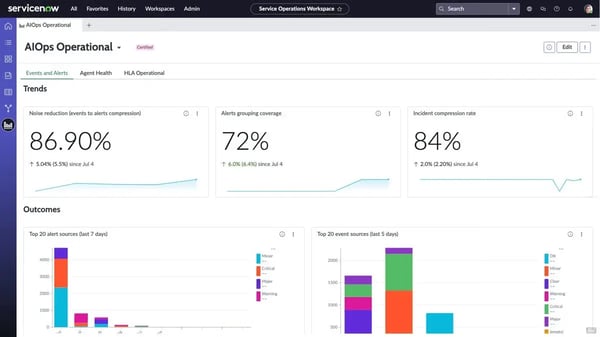
AI capabilities emphasize orchestration and decision-making over full autonomous remediation, prioritizing auditability and oversight, which can feel less hands-off for teams expecting fully autonomous resolution. The platform’s high level of configurability benefits large organizations but requires more planning and ownership during setup and modeling, and teams without prior ServiceNow experience may need additional time to fully operationalize it.
Overall, ServiceNow ITOM is a strong fit for enterprise teams operating complex, mission-critical environments where service visibility, governance, and structured workflows matter. For organizations that value contextual incident management and long-term operational confidence over lightweight automation, it continues to stand out as a scale-ready AIOps platform based on consistent reviewer feedback.
What I like about ServiceNow IT Operations Management:
- Service mapping and event management provide end-to-end visibility by showing which application components are impacted, helping teams prioritize incidents based on real service context.
- Discovery, reporting, and event correlation connect infrastructure data with ITSM workflows, enabling faster movement from detection to resolution without switching tools.
What G2 users like about ServiceNow IT Operations Management:
“I love how service mapping and event management work together to provide end-to-end visibility. I also appreciate being able to see the exact components that are impacted when something goes wrong with my application service. Additionally, the system is easy to set up.”
– ServiceNow IT Operations Management review, Mohamed A.
What I dislike about ServiceNow IT Operations Management:
- The platform’s breadth and configurability require upfront time and expertise, which may feel heavy for teams looking for lightweight or fast AIOps deployment.
- The automation model emphasizes oversight and control, supporting governance but leaving some remediation steps manual rather than fully hands-off.
What G2 users dislike about ServiceNow IT Operations Management:
“ServiceNow ITOM can be complex to implement, requires significant configuration and expertise, and its licensing costs are high. Some users also find performance issues with large-scale environments and integration challenges with non-ServiceNow tools.”
– ServiceNow IT Operations Management review, Souhaib A.
Network visibility is a key input for AIOps-driven incident detection. Explore the best network monitoring tools that provide the data needed for intelligent infrastructure insights.
3. IBM Instana: Best for automated APM and fast deployment
IBM Instana focuses on real-time application behavior and continuous performance visibility across dynamic environments. It is commonly used in systems where applications, infrastructure, and AI-driven workloads change rapidly, placing a premium on speed and low manual intervention. Reviewers frequently describe how quickly teams can surface and understand issues once the platform is in place, supporting response while incidents are still unfolding.
Continuous, real-time data ingestion is central to how teams operate with Instana during incidents. Metrics, traces, and events update continuously, allowing dashboards to reflect live system behavior rather than delayed snapshots. This immediacy helps teams understand what is happening as conditions change, instead of reconstructing timelines after systems stabilize.
Instana automatically correlates metrics, traces, and service dependencies across infrastructure, allowing teams to pinpoint where failures originate without manual cross-referencing. This aligns with G2 feedback, where Root Cause Identification is rated at 92%, reinforcing how consistently teams rely on this capability during active incidents.
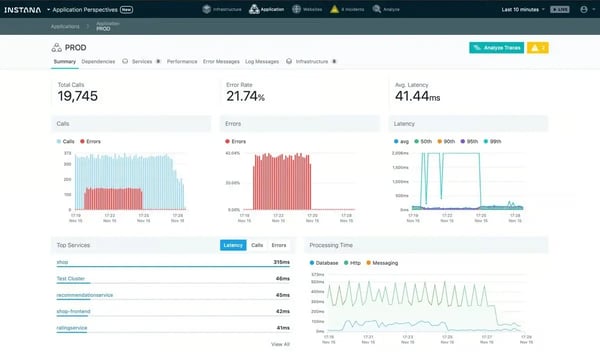
Teams describe being able to follow individual requests across services in a single view, which speeds up debugging in microservice-heavy architectures. This visibility helps engineers isolate bottlenecks and failures without first investing time in custom instrumentation.
Automatic discovery keeps observability aligned with rapidly changing systems. As new services are deployed, Instana detects them, maps dependencies, and begins collecting metrics immediately. This reduces blind spots during frequent releases and supports environments where manual setup would otherwise slow teams down.
Deployment-aware context helps teams interpret incidents during periods of change. Reviewers mention being able to view performance issues alongside recent deployments or infrastructure updates, making it easier to assess whether a change contributed to an incident. This context shortens investigation cycles when releases and failures overlap.
Teams note that problems become clear quickly once alerts fire, without waiting for extended data collection or post-incident analysis. This supports earlier intervention when systems begin to degrade.
IBM Instana’s usage is concentrated among mid-market (45%) and enterprise teams (45%), with smaller organizations making up a smaller share. This distribution aligns with environments where system complexity and deployment velocity are higher.
Broader G2 signals offer an additional perspective on the overall perception. Instana holds an overall G2 Score of 80 pointing to strong visibility in larger operational environments, with sentiment varying based on expectations and implementation depth.
The interface prioritizes comprehensive system views, which can impact responsiveness at scale. In very large environments, loading extensive service maps with many dependencies may take longer, so teams factor this into investigations. Alerting is designed to surface even short-lived anomalies, which improves visibility during brief spikes or transient failures, but some teams report higher notification volumes during short fluctuations and often adjust thresholds to better control noise.
Overall, IBM Instana is most often evaluated in environments where systems change quickly, and visibility needs to keep pace. Based on reviews and usage patterns, it is commonly used by teams operating microservices, AI-driven workloads, and large application ecosystems. Within the AIOps category, it is typically associated with real-time observability in fast-moving operational contexts.
What I like about IBM Instana:
- IBM Instana delivers near real-time monitoring across applications and infrastructure, helping teams investigate incidents quickly without waiting on dashboard refreshes.
- Its default automation includes automatic service discovery and distributed tracing, mapping dependencies, and surfacing metrics immediately as new services are deployed.
What G2 users like about IBM Instana:
“I find IBM Instana’s AI-based staging feature to be a standout element, allowing for easy installation on any platform, which is a very good feature. The simplicity of the setup is remarkable, with minimal effort required beyond providing credentials, and it quickly becomes operational. This ease of setup is complemented by its effective monitoring capabilities, as you can log in from various systems and view the monitoring dashboard effortlessly. It requires no additional configuration on virtual machines, which is particularly valuable. Overall, the installation process’s ease and its quick readiness for use work exceptionally well for me.”
– IBM Instana review, Pratham M.
What I dislike about IBM Instana:
- The interface and service maps provide deep visibility into system relationships, but large topologies can take longer to navigate in complex, distributed environments. This depth tends to work well for teams managing multi-service architectures where understanding dependencies is critical.
- The alerting model is highly sensitive to short-lived and sustained anomalies, which can increase alert volume in dynamic systems and require active prioritization. This sensitivity aligns well with teams that prioritize early detection and granular monitoring across fast-moving infrastructure.
What G2 users dislike about IBM Instana:
“One thing that I find could be improved with IBM Instana is the UI speed. While powerful, it sometimes feels a bit heavy, especially when loading large service maps. The alerting is generally effective, but it can be somewhat noisy if things spike for just a few seconds. Furthermore, the pricing can accumulate quickly as the environment grows. Overall, while IBM Instana works well, a lighter interface, smarter alert tuning, and a slightly simpler pricing structure would enhance its value.”
– IBM Instana review, Ayan S.
Modern AIOps platforms depend on real-time cloud telemetry to identify patterns and automate responses. Compare the leading cloud monitoring tools that power data-driven operations.
4. Dynatrace: Best for full-stack observability with AI-assisted root cause analysis
Dynatrace functions as an observability backbone across large SaaS environments where uptime, data continuity, and system awareness are critical. It maintains continuous visibility into applications and their dependencies, helping teams keep complex systems consistently understood.
G2 reviewers highlight how Dynatrace shortens the gap between detection and understanding. Root cause identification consistently stands out, supported by Davis AI and SmartScape, which automatically map dependencies and surface the entities driving incidents. Its highest-rated G2 features, Root Cause Identification (90%), systems monitoring (89%), and alerting (88%), reinforce this capability, helping teams respond faster and more confidently during incidents.
Dynatrace does a good job balancing breadth with operational clarity. Teams frequently mention that implementation feels approachable relative to the scale of the platform. The interface supports quick orientation even for users new to enterprise observability tools, allowing developers and operations teams to collaborate efficiently.
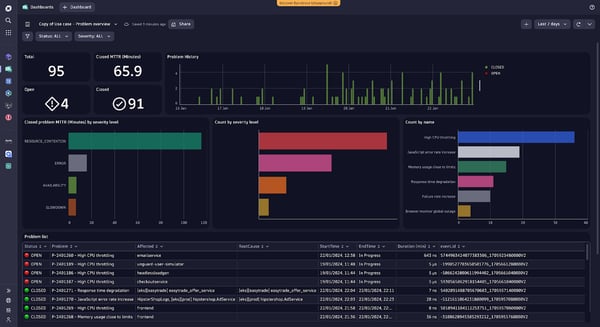
Multidimensional analytics, distributed tracing, and client-side metrics provide a shared view of system behavior. Reviewers note that this depth supports thorough investigations and ensures both development and operations teams can track performance consistently across complex SaaS stacks.
Integrations with platforms like ServiceNow, PagerDuty, and Microsoft Teams extend observability insights directly into incident response workflows. Users describe smoother coordination during outages, with alerts and contextual data delivered to the tools they already rely on.
From a business impact perspective, reduced mean time to resolution is mentioned most consistently. Reviewers report identifying issues within minutes, drilling into root causes automatically, and restoring stability without prolonged manual investigation. Consolidating multiple monitoring and performance tools into Dynatrace also improves operational efficiency.
Adoption patterns reflect a strong enterprise fit. With 71% of users from enterprises, 23% mid-market, and only 6% small businesses, Dynatrace demonstrates traction in environments where resilience, recovery planning, and observability at scale are critical.
Some reviewers note that Dynatrace’s coverage is more selective for certain environments. Legacy systems such as IBM iSeries and specific frontend or API-level monitoring scenarios may require adjustments, and teams occasionally experience moments of adaptation as the interface evolves. While implementation is generally approachable, understanding advanced features like multidimensional analytics or distributed tracing may require additional orientation or training.
Overall, Dynatrace is a strong fit for enterprises where SaaS reliability, recovery readiness, and operational visibility are tightly linked. For teams seeking fast root cause identification, faster incident response, and a way to consolidate multiple monitoring tools, Dynatrace provides a comprehensive, enterprise-ready observability solution.
What I like about Dynatrace:
- Dynatrace’s Davis AI, SmartScape, and distributed tracing help teams move quickly from detection to root cause, with strong alerting and incident-time visibility.
- The platform’s unified view brings application, infrastructure, and user experience metrics together, supported by integrations with ServiceNow, PagerDuty, and Microsoft Teams.
What G2 users like about
“The way it automatically maps out services and dependencies is genuinely helpful. Instead of guessing where an issue might be coming from, I can usually spot it pretty quickly. I also like how the dashboards pull everything together in a way that actually makes sense, even when there’s a lot of data flying around. Another thing I appreciate is the alerts.”
– Dynatrace review, Sourabh K.
What I dislike about Dynatrace:
- The platform’s breadth aligns well with large, complex environments where teams manage multiple services and configurations. Organizations expecting a more streamlined or minimal interface may find the feature set more extensive than that of lightweight monitoring tools.
- Reporting and monitoring depth are optimized for core operational use cases, which may feel more structured for teams with highly specialized or legacy-specific needs.
What G2 users dislike about Dynatrace:
“It’s quite tough to learn and understand how to use the tool. The learning curve is high. Pretty expensive. If not configured correctly, you will bleed money. Just due to the learning curve, we found the frequency of users using apps going down.”
– Dynatrace review, Sunil A.
5. Datadog: Best for engineering-led observability for cloud-native stacks
Datadog is designed for teams operating at scale and managing complex, high-volume production environments. The platform is most commonly adopted by mid-market organizations (53%) and enterprises (36%), which aligns closely with its G2 Market Presence score of 84. Its overall G2 Score of 70 and G2 Satisfaction Score of 56 reflect a product built for teams with established operational ownership rather than lightweight monitoring needs.
Reviews consistently highlight the ability to view metrics, logs, traces, and application performance in a single system, which reduces context switching across tools. This consolidated view helps teams correlate infrastructure behavior with application-level issues, especially in environments running many services in parallel.
Alerting is rated at 98% and Systems Monitoring at 96% on G2, both well above category averages. Teams frequently connect these capabilities to earlier detection of anomalies and faster response during incidents.
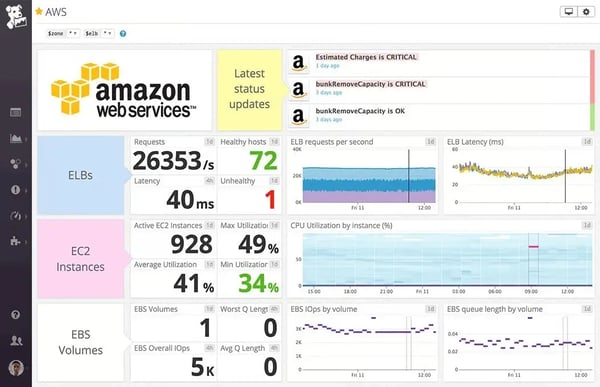
Its AI capabilities score 93% on G2, reinforcing how anomaly detection, forecasting, and pattern recognition are embedded into the platform. Users describe these features as reducing manual investigation by surfacing meaningful signals before issues escalate.
Dashboards are highly configurable, allowing teams to tailor views around services, environments, and ownership models. This flexibility is often cited as valuable for organizations whose observability requirements evolve alongside system complexity. Teams also describe tracing issues from user experience through application code and down to system resources. This end-to-end visibility supports faster root cause analysis across distributed systems.
Integrations with tools like Slack, OpsGenie, and IDEs extend Datadog’s observability workflows. Teams highlight being able to move from detection to investigation without leaving their primary operating tools. This integration depth reinforces Datadog’s role as a central operational platform rather than a standalone monitoring tool.
Teams often scrutinize a few areas, with cost transparency being the most cited. Datadog’s pricing reflects the volume and breadth of data collected, making usage forecasting more involved, especially in rapidly scaling environments. The platform also expects operational maturity to realize its full value, as configuration, alert tuning, and metric management can take time, requiring extra planning for teams newer to large-scale observability.
Overall, Datadog is best suited for engineering-driven organizations operating at scale that need continuous, intelligent visibility across applications and infrastructure. Its strength in alerting, systems monitoring, and unified observability positions it as a core operational system rather than a supplemental layer. For teams that treat operational intelligence as a foundational capability, Datadog aligns well with how mature AIOps platforms are expected to perform.
What I like about Datadog:
- Datadog’s unified observability view brings metrics, logs, traces, and APM together, connecting infrastructure, backend, and frontend signals in one place.
- Its monitoring and alerting capabilities combine flexible dashboards, strong alerts, and AI-driven signals to help teams detect issues early and track MTTD and MTTR.
What G2 users like about Datadog:
“Datadog is pretty awesome, it’s really powerful, we can add logs from our platforms, it tracks automatically the `console.errors` on the frontend, we can track the specific line when mappings are available, it allow us to track the CPU usage, it even can be connected to services like OpsGenie, or Slack or others, also it has support for IDEs which means we can open the error directly on our IDE, which is really awesome… but maybe the most important is that we can have a complete platform for control of our code/infra in one single place, as a FrontEnd developer, this help us also to track properly what the users see and replicate issues as close as we can without bothering our customers.”
– Datadog review, Cesar Daniel Z.
What I dislike about Datadog
- Datadog’s dashboards and configuration depth support complex observability needs, but can take time for teams to settle into workflows that feel natural. Teams expecting a simpler monitoring interface may find the platform more configuration-forward.
- The pricing model scales with usage and monitoring depth, which can require closer cost review as teams expand custom metrics and coverage. This structure fits teams comfortable operating within consumption-based observability models.
What G2 users dislike about Datadog
“While Datadog is extremely powerful, it can become difficult to control and predict costs in large or rapidly changing environments, particularly when ingesting high volumes of logs, metrics, and traces. Without strong governance and regular tuning, usage can grow quickly and lead to unexpected spending. In addition, the breadth of features can sometimes feel overwhelming. Teams need time and clear ownership to configure dashboards, alerts, and monitors properly; otherwise, there is a risk of noise, alert fatigue, or under-utilisation of the platform’s capabilities.”
– Datadog review, Gregory D.
6. SysAid: Best for ITSM teams with built-in automation and AI assistance
SysAid comes up most often in conversations where IT teams are trying to move beyond reactive ticket handling and lean more heavily on automation. The platform is built around the idea that AI should actively shape how incidents, requests, and user interactions are handled day to day, rather than functioning as a surface-level assistive layer. That framing positions SysAid closer to operational AIOps than traditional service desks with AI add-ons.
Reviews consistently highlight automated ticket handling and knowledge-driven resolution as core value drivers rather than optional enhancements. Agentic AI chatbots intercept common issues early, surface relevant knowledge-base content, and engage users before tickets escalate, reducing manual intervention for high-volume support environments.
SysAid’s workflows automatically categorize, route, and respond to tickets, which reviewers associate with faster turnaround and fewer SLA breaches during peak periods. This structure helps teams maintain consistency in response quality even when ticket volumes fluctuate sharply.
Dashboards provide teams with a clear snapshot of active issues, workload distribution, and response status without requiring constant manual checks. This supports quicker decision-making and aligns well with AIOps goals around faster detection and coordinated response.
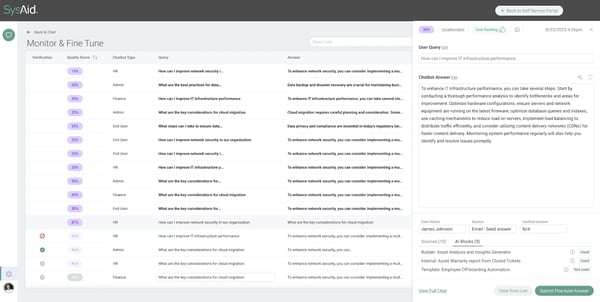
The core ticketing experience is frequently described as intuitive for both IT teams and end users, helping reduce friction during adoption. Keeping ticket management, automation, and asset context within the same system also minimizes context switching and supports smoother issue resolution end-to-end.
A significant share of users comes from mid-market organizations (55%) and enterprise environments (34%), where centralized service management and automation tend to deliver the most impact. Its G2 Satisfaction Score of 74 and overall G2 Score of 67 reflect steady, practical value rather than category-leading flash, which aligns with how reviewers describe using the platform in production.
Reviewers frequently mention clean integrations with Microsoft Teams, Active Directory, and Lansweeper, which help SysAid act as a connective layer across existing IT systems. For teams operating in Microsoft-centric environments or relying on external asset discovery tools, this reduces rollout friction and supports a more unified operational view.
SysAid’s AI-driven automation can shift responsibilities within support teams, requiring time for organizations accustomed to hands-on triage or highly manual workflows to adjust, particularly for teams that prefer role-specific control over standardized execution. The platform’s extensive feature set also affects navigation, with many tools located deeper within menus rather than on a single consolidated screen, so teams prioritizing immediate, one-screen access may experience a short ramp-up period while becoming familiar with the layout.
Overall, SysAid reads as a solid fit for IT teams that want AIOps to play a practical, operational role rather than remain a theoretical capability. Its emphasis on AI-driven resolution, workflow automation, and centralized visibility aligns well with mid-market and enterprise environments focused on efficiency and SLA performance. Based on review patterns and adoption signals, it stands out as a dependable, automation-first service management platform built for scale.
What I like about SysAid:
- SysAid’s AI-driven workflows use agentic chatbots and intelligent ticket handling to surface knowledge early, reduce repetitive tickets, and speed response times.
- The unified ITSM system combines ticketing, assets, automation, and SLA reporting, with dashboards and integrations that support AIOps-aligned operations.
What G2 users like about SysAid:
“The AI functions are vast and very useful. Ease of use is big for our customers, whether they be internal or external. Implementation was fast and to the point; any questions we had were responded to within 1 or 2 days. Their customer support team was fast to respond, and they took feedback and new functionality very fast. Integrations with Teams and AD were simple and clean, not a lot of trouble to complete and test. My team and I are using the app daily, and now, our internal users are very happy with the change.”
– SysAid review, Victor D.
What I dislike about SysAid:
- The automation-first service model can change how frontline support operates, requiring process adjustments for teams adopting AI-driven workflows more gradually. Teams that rely heavily on manual triage or highly individualized support processes may find the approach more structured than traditional service desks.
- Interface navigation and asset depth may feel heavier in daily use, especially for teams with highly customized asset tracking requirements.
What G2 users dislike about SysAid:
“The only thing that I can think of is how some of the features seem buried in the menu. Searching for those different tools kind of takes up time.”
– SysAid review, Tyler C.
7. Rakuten SixthSense Observability: Best for unified observability with AI-driven insights
Rakuten SixthSense Observability functions as an AIOps and observability platform built for large, distributed IT environments where scale and dependency complexity are unavoidable. Its overall G2 Score of 65, combined with strong G2 Market Presence, reflects steady enterprise adoption. According to G2 Data, 64% of its users come from organizations with more than 1,000 employees, reinforcing its fit for environments managing high incident volume and operational risk.
Alerting and Systems Monitoring both score 96% on G2, supported by Root Cause Identification at 95%, all above category averages. Reviewers frequently describe being able to move quickly from an alert to the specific service, query, or dependency responsible, reducing time spent validating signals.
G2 users highlight how correlated metrics, logs, and traces narrow investigations without requiring manual cross-checking across tools. This structured path from symptom to cause helps teams stay focused during active incidents rather than relying on exploratory troubleshooting.
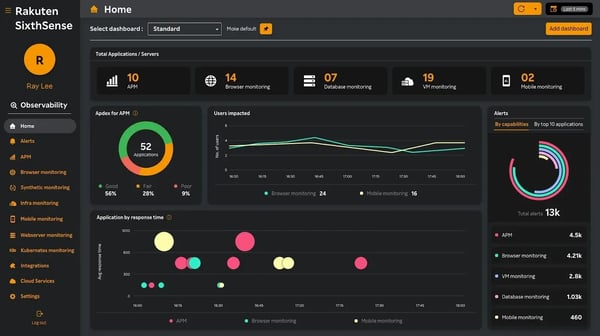
The unified observability experience plays a central role in how teams work within the platform. Logs, metrics, traces, infrastructure data, and browser-level insights are accessible within a single interface, reducing context switching during investigations. Reviewers note that moving from alert to trace to code-level context feels continuous, even in complex application stacks.
The UI is often described as clean and approachable, helping engineers build familiarity over time without feeling overwhelmed. This balance supports ongoing use across teams that monitor large, interdependent systems.
Teams describe integrations as straightforward and aligned with modern architectures, including hybrid and multi-cloud setups. Onboarding is frequently characterized as guided rather than self-directed, with customer success teams noted as hands-on and responsive during early configuration.
Reductions in MTTD and MTTR are commonly cited, in some cases by three to four times, along with fewer escalations and reduced after-hours alert noise. Centralizing observability into one operational view helps teams replace fragmented tooling and spend more time improving stability.
As usage expands, Rakuten’s deep customization requires deliberate setup and additional planning, particularly for complex dashboards and layered monitoring. Alerting is highly rated for detection and visibility, but recommendations emphasize insight and diagnosis rather than fully automated remediation, making it best suited for teams that prefer engineers to remain closely involved in incident decision-making.
Overall, Rakuten SixthSense Observability is well-suited for enterprise teams running complex, high-availability systems that require dependable AIOps support. Based on G2 review patterns, it fits best where unified visibility, strong alerting, and fast root cause identification are expected to support real engineering workflows rather than lightweight monitoring.
What I like about Rakuten SixthSense Observability:
- The unified observability system combines logs, metrics, traces, infrastructure, and application monitoring, enabling teams to move from alert to root cause without switching tools.
- Core AIOps capabilities deliver strong alerting, system monitoring, and root cause identification, with faster bottleneck detection and support that fits enterprise incident response.
What G2 users like about Rakuten SixthSense Observability:
“The tool is very useful to monitor the logs and errors, which include APM Agent monitoring, Mobile Monitoring, and VM monitoring with good technical support whenever required.”
– Rakuten SixthSense Observability review, Saurav K.
What I dislike about Rakuten SixthSense Observability:
- Initial configuration and tuning can take time, as dashboards, alerts, and dependencies need alignment with complex enterprise architectures. Teams expecting a more plug-and-play observability setup may find the configuration model more architecture-driven.
- Recommendations and reporting favor engineer-led analysis over prescriptive automation, suiting control-focused teams over AIOps-style automation. This aligns well with control-focused teams that prefer direct oversight of observability data, while organizations seeking fully automated AIOps-style remediation may find the approach more hands-on.
What G2 users dislike about Rakuten SixthSense Observability:
“We want the functionality of displaying the error records on a weekly basis or a daily basis. Likewise, we are getting alert mail, and we also need to receive dashboard mail.
– Rakuten SixthSense Observability review, Gopikrishnan K.
8. New Relic: Best for full-stack observability with AI-driven insights
New Relic operates as an AIOps platform used by engineering and operations teams managing modern, distributed systems. Adoption is spread evenly across small businesses, mid-market organizations, and enterprises, suggesting the platform is designed to support a wide range of operational maturity levels rather than optimizing for a single segment. Its overall G2 Score of 63 reflect a mature product with broad, sustained usage across different environments.
Smaller teams often rely on it to establish early visibility into application health, while mid-market and enterprise users use it to coordinate monitoring across cloud, containerized, and on-prem environments. This flexibility allows the platform to remain useful as architectures grow more distributed and service-heavy.
Full-stack visibility is another area where New Relic consistently stands out in reviews. Application performance, infrastructure metrics, logs, synthetics, and user experience data are brought together in a single interface, reducing the need to switch between tools during investigation. Features like distributed tracing, slow query analysis, Apdex scoring, and real-time user monitoring support faster movement from detection to understanding.
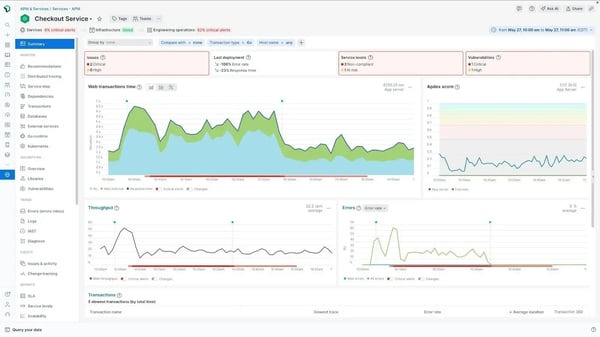
On G2, Machine Learning scores 100% and Artificial Intelligence scores 99%, both exceeding category averages and highlighting the platform’s emphasis on signal interpretation rather than raw telemetry alone. These capabilities help teams surface anomalies, identify patterns, and narrow down potential root cause exploration more efficiently.
Systems monitoring earns a G2 feature rating of 98%. Reviewers frequently describe relying on New Relic for continuous visibility across applications, infrastructure, and services, especially in environments with many moving parts. That reliability makes it a central source of operational truth for teams responsible for uptime and performance.
Customizable dashboards further support New Relic’s day-to-day usability. Teams can tailor views to reflect their workflows, track performance trends, and align metrics with specific services or teams. This flexibility helps different teams work from shared data while still maintaining views that match their responsibilities.
Reviewers also point to ongoing improvements in usability and performance, supported by responsive customer support. Feedback over the past year suggests the platform has become easier to work with as interfaces and workflows have been refined. That continued iteration reinforces confidence that New Relic is actively evolving alongside user needs rather than remaining static.
Operational complexity becomes more noticeable as usage scales. New Relic’s feature-rich design requires time for teams to become comfortable with advanced querying, alert configuration, and usage-based pricing, especially for broad deployments rather than limited, single-use cases. Alerting and integrations are optimized for New Relic’s ecosystem, which works well for standardized environments but can feel restrictive for teams preferring modular observability stacks, requiring earlier alignment decisions during adoption.
Overall, New Relic comes across as a comprehensive AIOps and observability platform built for teams that depend on deep, system-wide visibility. Its strengths in machine learning, AI-driven analysis, and systems monitoring align well with modern, distributed environments. For organizations looking for a single, evolving observability foundation rather than a collection of tools, it presents a solid, dependable fit based on consistent G2 review patterns.
What I like about New Relic:
- New Relic’s full-stack observability platform unifies application performance, infrastructure metrics, logs, synthetics, and user experience data in one place.
- Its AI and ML capabilities power anomaly detection, distributed tracing, and intelligent insights that speed diagnosis in complex, distributed environments.
What G2 users like about New Relic:
“I like New Relic’s ability to bring everything into one unified observability platform with real-time dashboards, distributed tracing, and seamless integration. It helps our DevOps team detect anomalies early and reduce downtime. The customizable and intuitive dashboards make it easier to stay ahead of issues. We also benefit from the improved visibility across our application and infrastructure, stronger distributed tracing, and deep insights that enhance collaboration between teams. Integration with tools like Slack and AWS makes monitoring seamless and quickly becomes a part of our daily workflow. I appreciate the straightforward initial setup, supported by clear documentation that allows for smooth integration.”
– New Relic review, Nithin R.
What I dislike about New Relic:
- The platform’s broad feature set suits comprehensive observability needs, though adoption can take time for teams preferring a more minimal setup. Its broad feature set supports comprehensive observability across applications, infrastructure, and logs.
- The usage-based pricing model depends on data ingestion patterns, which require active cost visibility and planning as monitoring coverage expands. This aligns well with organizations comfortable operating within usage-based observability models.
What G2 users dislike about New Relic:
“While I really like New Relic, there are a few things that can require more cost awareness as usage scales. The pricing model isn’t always predictable, and sometimes small changes in usage can lead to higher bills than expected.”
– New Relic review, Somya K.
9. IBM Turbonomic: Best for automated resource optimization and cost control
IBM Turbonomic approaches infrastructure management through automatic, demand-driven resource decisions rather than alert-based monitoring. The platform continuously analyzes live workload demand and determines how compute, memory, and storage should adjust. Reviewers highlight how the platform moves from insight to action, enabling ongoing execution instead of just observation.
Reviews frequently mention automated rightsizing and scaling decisions that allow workloads to adjust as demand changes. Resource adjustments are applied without waiting for manual review cycles, helping teams respond quickly to fluctuating workloads. This reduces the lag between detection and action in dynamic environments.
IBM Turbonomic’s user base is heavily enterprise-led, with 61% of customers from organizations with more than 1,000 employees and 27% from the mid-market. Its overall G2 Score of 61, G2 Market Presence of 63, and G2 Satisfaction score of 60 reflect a platform built around operational depth and precision rather than immediate simplicity. Reviewers note that the design prioritizes accuracy, automation, and control over quick setup or surface-level ease.
Reviewers highlight that optimization decisions are tied directly to actual workload behavior. The platform identifies specific virtual machines, services, or applications that require adjustment rather than offering generalized guidance. Automated scaling and rightsizing help reduce unnecessary cloud spend while keeping application performance stable.
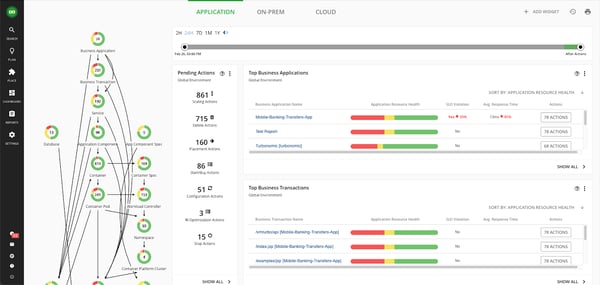
Automation plays a central role in daily operations. Reviews frequently mention that Turbonomic’s policy-driven execution allows actions to run automatically across cloud, on-prem, and Kubernetes environments. Teams can rely on ongoing adjustments without constantly reviewing recommendations, which reduces operational overhead in large infrastructures.
Reviewers describe practical business impact, including fewer performance incidents, less time troubleshooting, and improved confidence in capacity planning. Users also point to measurable cost control in cloud and hybrid environments. For compute-heavy or long-running workloads, the ability to move and scale resources without disruption is a frequently cited advantage.
Some practical considerations are noted in reviews. Dashboards expose a broad range of data and relationships, which support detailed analysis but can take time to interpret, particularly for teams new to automated decision systems. Recommendations are delivered with a high level of confidence, which often leads teams to spend an initial period validating actions against internal policies.
Overall, IBM Turbonomic is well-suited for teams managing complex hybrid or multi-cloud environments where performance and cost optimization need to operate continuously. For enterprise and upper mid-market organizations that want automated, demand-driven infrastructure decisions, it provides a controlled, execution-oriented approach grounded in operational insight.
What I like about IBM Turbonomic:
- IBM Turbonomic’s workload-driven optimization translates application demand into automated rightsizing and scaling decisions across cloud and hybrid environments.
- Its automation framework uses continuous workload analysis and policy-based actions to maintain application performance across cloud, on-prem, and Kubernetes setups.
What G2 users like about IBM Turbonomic:
“I love how IBM Turbonomic accurately analyzes workloads and provides clear, actionable recommendations. The automation is impressive because it manages resource adjustments in real time, eliminating the need for constant manual checks. I appreciate the visibility it offers across both cloud and on-prem environments, making performance and cost management much more straightforward. Its accurate workload analysis is invaluable to my work as it takes the guesswork out of resource planning, specifying exactly which VM, service, or application needs more or fewer resources. This feature minimizes unnecessary time spent on troubleshooting. I value the proactive approach of IBM Turbonomic, which prevents performance issues before they arise, thereby ensuring a more stable and cost-efficient environment. It’s this forward-thinking capability that truly increases the platform’s value for me.”
– IBM Turbonomic review, Shivam K.
What I dislike about New Relic:
- The platform’s analytical depth and automation suit large, complex environments but can require a longer familiarization period for teams wanting a more guided experience. This depth often translates into more precise optimization and resource control over time.
- Its enterprise-focused optimization model supports precision and control at scale, which may feel more involved for teams managing simpler environments. This level of control can be a significant advantage when fine-tuning performance.
What G2 users dislike about New Relic:
“I find IBM Turbonomic to be somewhat complex in nature, which might make it challenging to navigate or fully utilize without improvement. Additionally, the running costs associated with using IBM Turbonomic are a concern for me. It seems that the cost structure could be optimized to improve the overall trust and adoption of the product.”
– IBM Turbonomic review, Vaibhav K.
10. Digitate (ignio): Best for enterprise AIOps and autonomous IT operations
Digitate stands out as an AIOps platform built for large, complex IT environments where AI is embedded directly into how operations run. Its overall G2 Score of 59 reflects a product designed less for quick wins and more for sustained operational depth. Adoption data reinforces that positioning, with 87% of Digitate’s users coming from enterprise organizations, signaling where the platform delivers the most consistent value.
At the core of Digitate’s approach is its focus on continuous, AI-driven operations. The Ignio platform emphasizes always-on monitoring, automated troubleshooting, and proactive issue resolution across infrastructure and applications. Rather than treating alerts as isolated signals, teams use AI-generated context to understand system behavior holistically, which aligns closely with how mature AIOps practices operate at scale.
The platform follows an ecosystem-first operational model, maintaining a self-updating cognitive map of the IT environment that continuously correlates events, dependencies, and changes across systems. This shared system understanding reduces alert noise, speeds up root-cause analysis, and helps teams address issues before they impact users.
.png?width=600&height=338&name=Digitate%20(ignio).png)
Alerting (89%), Systems Monitoring (87%), and System Integration (86%) all score close to category averages, reinforcing the platform’s focus on dependable, foundational functionality. Reviewers frequently describe consistent alert behavior and monitoring coverage as strengths in complex environments.
Operational visibility is extended through centralized dashboards and mobile alerts designed for 24/7 teams. Interactive dashboards help teams track system health at a glance, while mobile notifications support faster response without requiring constant console access. This setup works especially well for distributed and follow-the-sun operations models.
Digitate supports change awareness across dynamic IT environments, helping teams understand how infrastructure and application behavior evolve over time. Reviewers often reference the platform’s ability to correlate configuration changes, deployments, and system updates with downstream operational impact. This makes it easier to manage continuous change without losing control as environments scale.
Teams consistently describe measurable operational outcomes from using Digitate at scale. Reviews point to reduced manual effort, faster incident resolution, fewer outages, and improved system reliability over time. These outcomes reflect the platform’s ability to translate automation and intelligence into sustained operational gains.
Configuration and customization need careful planning to align Ignio’s automation models with real-world environments, particularly for organizations earlier in their AIOps maturity, and this effort is most noticeable during initial rollout. Administrative control offers broad flexibility across integrations, policies, and workflows that benefits enterprises, but it also requires clear ownership and coordination as automation scope and system complexity grow.
Overall, Digitate is a strong fit for large IT organizations that view operations as a strategic capability rather than a support function. Its dependable alerting, deep system visibility, and intelligence-driven automation align well with enterprise teams managing constant change. For environments where manual intervention no longer scales, Digitate stands out as a purpose-built AIOps platform grounded in operational rigor.
What I like about Digitate:
- Digitate’s AI-driven operations model detects, correlates, and resolves issues across systems, reducing manual intervention and operational noise.
- Its cognitive ecosystem view unifies monitoring, alerting, and remediation, helping teams consolidate tools and respond faster in complex enterprise environments
What G2 users like about Digitate:
“What I appreciate most about Digitate is its strong emphasis on intelligent automation with Ignio. The integration of AI, machine learning, and automation to address real-world IT operations challenges truly sets Digitate apart. I value the company’s commitment to developing scalable, enterprise-grade solutions that minimize manual work, enhance reliability, and enable businesses to operate more autonomously. Additionally, I find the culture of innovation, ongoing learning, and customer-focused mindset to be particularly inspiring.”
– Digitate review, Dileep K.
What I dislike about Digitate:
- The enterprise-focused setup and customization require careful configuration, especially for teams early in their AIOps adoption. This level of customization often enables more tailored automation and long-term operational efficiency.
- The platform’s deep system integration benefits stable environments but may need additional tuning in highly distributed or custom infrastructures.
What G2 users dislike about Digitate:
“The thing that complicates the use of Digitate is that it is very hard to set up and makes customization really demanding for a new user.”
– Digitate review, Jay S.
Comparison of the best AIOps tools
| Best AIOps Tools | G2 Rating | Free plan | Ideal for |
| Atera | 4.6/5 | No. Free trial available | Lean IT and ops teams using lightweight AIOps with integrated monitoring and automation. |
| ServiceNow IT Operations Management | 4.4/5 | No | Enterprise IT operations requiring deep service context, CMDB integration, and automated incident workflows. |
| IBM Instana | 4.4/5 | No. Free trial available | Teams requiring real-time observability with automatic dependency discovery. |
| Dynatrace | 4.5/5 | No. Free trial available | Full-stack AI-driven observability with automated root cause analysis for complex distributed environments. |
| Datadog | 4.4/5 | Yes. Free tier available with usage limits | Cloud-native observability with AI-augmented insights across metrics, logs, and traces. |
| SysAid | 4.5/5 | No. Free trial available | IT operations and service desk automation with AIOps-augmented triage and workflows. |
| Rakuten SixthSense Observability | 4.6/5 | Yes. Free plan available | Predictive anomaly intelligence and observability for proactive issue detection. |
| New Relic | 4.4/5 | Yes. Free tier available | Integrated telemetry and AIOps rooted in full-stack observability for performance insights. |
| IBM Turbonomic | 4.5/5 | No | Resource optimization and performance efficiency with AI-driven right-sizing for cloud/infra. |
| Digitate | 4.3/5 | No | End-to-end autonomous remediation and automated operational workflows. |
*These AIOps tools and platforms are top-rated in their category, based on G2’s 2025 Grid® Report. All offer custom pricing tiers and demos on request.
Best AIOps tools: Frequently asked questions (FAQs)
Got more questions? G2 has the answers!
Q1. How do I choose between Datadog, Dynatrace, and New Relic for AIOps?
Datadog and New Relic are better suited for engineering-led teams that work directly with metrics, logs, and traces and want flexible analysis. Dynatrace is usually preferred when teams want automated, topology-driven root cause analysis with minimal manual tuning, especially in large, complex environments.
Q2. Which AIOps tools deliver the fastest ROI for smaller or lean IT teams?
Atera and SysAid tend to show faster ROI because they require less service modeling and combine monitoring, ticketing, and automation in a single workflow. They’re a good fit for teams moving away from reactive alerting without taking on enterprise-level operational overhead.
Q3. When should I choose ServiceNow IT Operations Management over standalone AIOps tools?
ServiceNow ITOM makes more sense when ITSM and CMDB are already central to operations. It’s designed for organizations that prioritize governance, service ownership, and structured incident workflows over lightweight observability or developer-centric usage.
Q4. How does IBM Instana compare to Dynatrace for application-focused AIOps?
Instana is often chosen for fast deployment and real-time visibility into microservices and application behavior. Dynatrace is typically selected when teams want broader full-stack correlation and deeper AI-driven causation across infrastructure, applications, and services.
Q5. Which AIOps tools are best for infrastructure optimization and cost control?
IBM Turbonomic is purpose-built for performance-aware resource optimization rather than incident detection alone. It’s commonly used alongside observability tools to automate right-sizing and placement decisions across cloud and on-prem environments.
Q6. How do Rakuten SixthSense Observability and Digitate differ in their AIOps approach?
Rakuten SixthSense Observability focuses on anomaly detection and predictive insights across operational data. Digitate (ignio) is typically evaluated for automation-first operations, with a stronger emphasis on closed-loop remediation and reducing human intervention.
Q7. Can AIOps tools replace traditional monitoring and observability platforms?
No. AIOps tools rely on telemetry produced by monitoring systems to perform correlation and analysis. Platforms that bundle observability and AIOps simplify adoption, while standalone tools act as an intelligence layer on top of existing stacks.
Q8. How well do AIOps tools integrate with ITSM and incident response workflows?
Most enterprise-grade AIOps tools integrate directly with ITSM systems to create and enrich incidents automatically. Strong integrations preserve service context, priority, and ownership, so insights don’t get lost when alerts turn into tickets.
Q9. What’s the biggest difference between enterprise AIOps tools and mid-market options?
Enterprise platforms emphasize governance, explainability, and scalability across complex environments. Mid-market tools focus more on faster onboarding, simpler correlation, and lower operational overhead, which can be more effective at a smaller scale.
Q10. Should AIOps be part of a unified platform or a standalone intelligence layer?
Unified platforms work well for centralized operations teams that want fewer vendors and tighter feedback loops. Standalone AIOps layers are often preferred when organizations already use multiple monitoring tools and need neutral correlation across them.
From alerts to operational clarity
What consistently stands out across reviews and real deployments is that AIOps succeeds or fails at the workflow level, not at the feature layer. When these platforms work well, they shrink alert noise into clear signals, reduce the time engineers spend context-switching, and shorten the distance between detection and resolution. When they don’t, teams end up supervising the tool instead of relying on it, recreating manual triage processes under a new label and adding friction to already stressed operations.
The long-term impact of this choice compounds quietly. A well-fit AIOps platform becomes part of how teams think, respond, and recover under pressure, steadily lowering cognitive load and improving incident discipline over time. A poor fit does the opposite. These effects rarely show up in the first quarter but surface painfully as on-call fatigue, slower recovery times, and rising operational risk.
That’s why I view AIOps less as a tooling decision and more as an operating model decision. The right platform reinforces how your teams already work while removing the friction they can’t sustainably carry. Focusing on workflow fit, reliability under pressure, and long-term stability gives teams a clearer signal than feature lists and helps build real operational confidence.
Ready to strengthen your AIOps strategy? Explore leading observability platforms on G2 to help teams deliver cleaner signals and make faster, more confident operational decisions.


